Employee files
A file for every employee, a place for every document in it
Organise employee files in FileFlow in a five-level structure: department, then employee, then document type. Decide who sees each file, and search contracts and certificates by a word from inside them.
Start free · no credit card required · Arabic and English
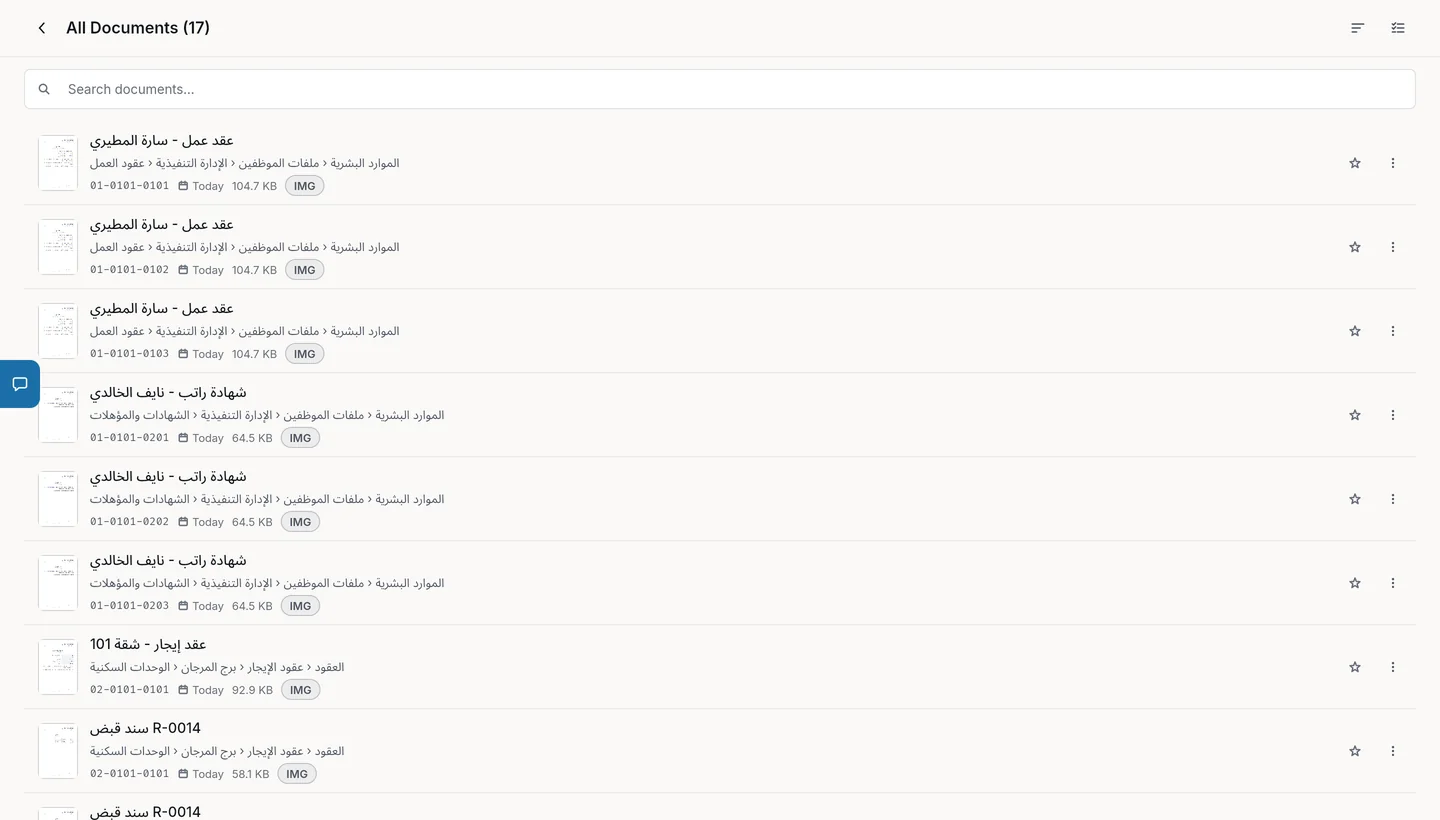
How to organise employee files
Build the structure
For example: HR, then Employee files, then the department, then the document type.
Add your team
Create an organisation and invite your HR team as Admin, Editor or Viewer.
Upload the documents
Upload employment contracts, certificates and leave records, and find them later by code or by a word inside them.
Why FileFlow fits employee files
Clear permissions
Admins have full access, Editors create and edit without deleting, Viewers read only, with item-level permissions.
AES-256 encryption
File details and documents are encrypted before they are stored.
Two-step verification
A code from an authenticator app or by email at sign-in.
Expiry reminders
Reminders suggested for contract and document expiry dates once the text is read.
FAQ
Who can see employee files?
Members of the organisation according to their role, and you can restrict access to specific items.
Is employee data protected?
Yes. File details and documents are encrypted with AES-256 before they are stored, and two-step verification can be turned on for every member.
How many team members can I add?
The Business plan includes 3 organisations and 5 members per organisation; for more, the Enterprise plan is priced with you.